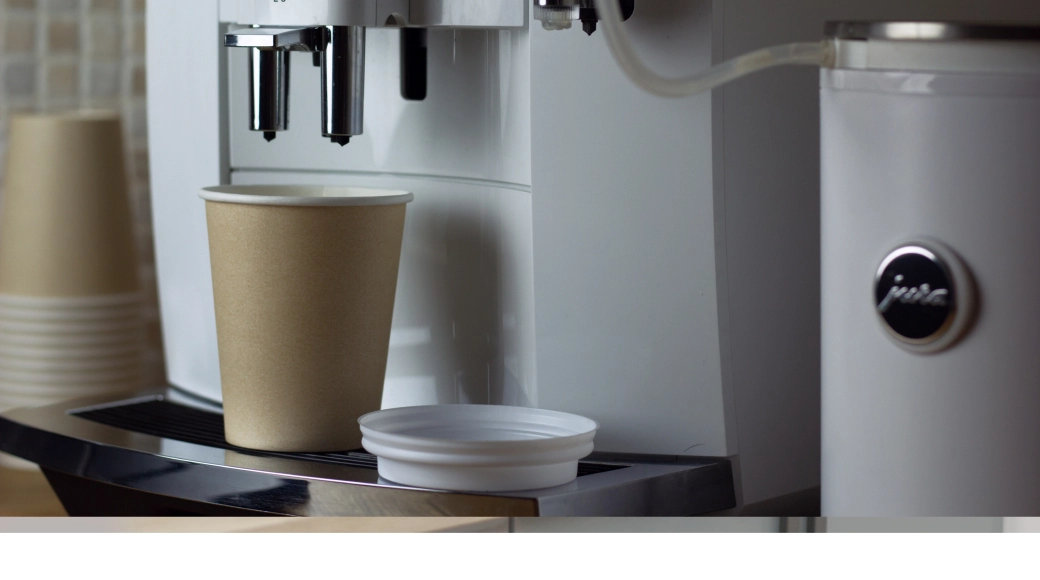
At 3:07 p.m., somebody walks into the break room, presses the button, and gets a weak, bitter cup that somehow disappoints everybody at once. That moment sums up most office coffee machine mistakes: the problem usually is not that you have a machine, it is that your setup does not match how your workplace actually runs. The good news is that these seven mistakes are fixable, and most of the fixes are simpler than people expect.
1. Buying a machine before you understand your real daily demand
This is the mistake that causes half the others. You guess based on headcount, pick a machine that seems reasonable, and only later realize your office drinks coffee in waves, not in a calm, predictable trickle.
A machine for 25 people sounds fine until you notice what happens at 8:30 a.m., right after lunch, or ten minutes before a client presentation. Coffee demand is rarely evenly spread. It bunches up. If your machine cannot handle back-to-back use, the line grows, the quality slips, and the whole thing starts to feel like a bad vending machine instead of a useful office perk.
What should you count? Start with your actual daily headcount, then add guest traffic, meeting days, and drink variety. A machine making black coffee all day has a very different workload from one producing cappuccinos, decaf drinks, and hot chocolate in constant rotation.
Look at peak moments, not just total headcount
A 25-person office with predictable schedules is one thing. A 25-person office with client visits, shared workspace traffic, and a Monday morning meeting habit is something else entirely.
The line at 9 a.m. tells you more than a monthly average ever will. If six people are waiting while one person scrolls through drink options and the machine grinds, brews, and rinses between cycles, you already have your answer. Your machine is undersized for your peak moments, even if it technically covers your total daily cup count.
Match capacity to growth, not just today
Buying too small creates frustration fast. It also puts extra strain on the machine, which means more wear and more downtime. But going too big is not smart either. You end up paying for capacity you do not use, and the machine eats counter space like an overpacked microwave.
The better approach is to look a little ahead. Planned hiring, busy seasonal stretches, changing hybrid schedules, and more in-office collaboration all matter. If your office is adding ten desks in six months, buying only for today is just delaying the problem.
2. Ignoring water quality and filtration
Here’s the thing: great beans cannot outrun bad water. If the water is off, the coffee will be off.
Hard water simply means water with a high mineral content. In an office coffee machine, that leads to scale buildup, which is the chalky residue that forms inside the machine over time. That buildup affects temperature, flow, and taste. It also shortens the life of parts that should last much longer.
Taste problems start here more often than you think
If your coffee tastes flat, bitter, oddly sharp, or just inconsistent from one cup to the next, water is often the hidden reason. Chlorine can dull flavor. Too many minerals can throw extraction off. Scale can affect heating and brewing consistency, so one cup tastes acceptable and the next tastes like it came from a gas station at 5 p.m.
That sounds dramatic, but it is common. People often blame the beans first because beans are visible. Water is not. Still, coffee is mostly water, so that is where taste problems often begin.
Filtration protects both flavor and the machine
A good filtration setup improves flavor and helps protect the machine from avoidable damage. It is one of the easiest upgrades you can make, especially if your office already deals with hard water or inconsistent municipal supply.
The catch is that a filter only helps if you actually replace it on schedule. Old filters stop doing the job properly, and then the same taste and maintenance issues creep back in. Regular filter changes are boring, yes, but boring is good when it saves you from repair calls and surprise downtime.
3. Choosing a machine that is too complicated or too limited
Some offices buy a machine loaded with features, then nobody uses half of them because the interface feels like checking in for an international flight. Other offices go too basic and end up with a machine that cannot keep up or offer what people actually want.
Fit matters more than flash. The sweet spot is a machine that feels simple in daily use but still covers your real drink needs.
Make the daily user experience simple
If making coffee requires studying a touchscreen, usage drops fast. That is just reality. People want clear drink options, intuitive buttons, obvious refill prompts, and cleaning instructions that do not feel mysterious.
The best office coffee setup is one that almost disappears into the workday. You walk up, choose your drink, and get a good cup without thinking much about it. That ease matters more than one extra programmable menu or a fancy-looking display.
Make sure the menu fits your workplace
Drink preferences shape the right setup more than people expect. Some offices mainly want black coffee and espresso. Others need decaf, milk-based drinks, dairy alternatives, hot chocolate, or flavored syrups because the break room serves different tastes all day.
This is where subscription support and add-ons can make the whole station feel complete instead of patched together. Coffee beans alone rarely cover everything. If your office regularly wants syrup, milk options, cups, cleaning supplies, or even a nearby water machine, it makes sense to plan the full drinks area at the same time instead of stacking fixes later.
4. Forgetting that maintenance and service are part of the purchase
An office coffee machine is not a one-time purchase you park on the counter and forget. Every machine needs cleaning, descaling, part replacement, and occasional service. Reliability comes from support, not just specs.
This gets overlooked because maintenance feels less exciting than choosing features. But on a Wednesday morning, after the machine stops mid-cycle and a meeting starts in twelve minutes, support suddenly becomes the only thing that matters.
Daily care needs to be realistic
Daily upkeep should match what your office can actually handle. That usually means emptying grounds, topping up beans, rinsing milk systems if your machine uses them, wiping surfaces, and running basic cleaning cycles when prompted.
If those tasks are too annoying or too time-consuming, they get skipped. Then quality drops, hygiene slips, and problems build quietly until the machine needs service. A good setup should make regular care easy enough that somebody can do it without turning it into a second job.
Fast service matters more than a fancy spec sheet
A machine with one extra drink button is not much help if service takes five days. Response time matters. Service coverage matters. Easy restocking matters. A loan machine, if available, matters a lot more than people think.
When comparing options, support is not a side detail. It is part of the product. If your office depends on that machine every day, quick service and simple supply management are worth more than a feature list that looks impressive in a brochure.
5. Treating the grinder like a minor detail
The grinder matters. More than most offices realize.
Grind size affects extraction, which is just the way water pulls flavor from coffee. If the grind is off, the cup will be off. Too coarse, and the coffee can taste weak or sour. Too fine, and it can turn bitter or harsh. You can have a solid machine and decent beans and still get disappointing coffee because the grind is inconsistent.
Consistency beats guesswork
Uneven grinding creates uneven cups. One drink tastes fine, the next tastes dull, and the one after that comes out stronger than expected. That inconsistency frustrates people because the problem feels random when it usually is not.
Offices often blame the beans or the machine first. But a poor grinder, or a grinder that is not adjusted properly, can quietly ruin the whole setup. Consistency is what turns a good machine into a reliable one.
Bean freshness and hopper habits matter too
Even a good grinder cannot fix stale beans. If the hopper stays overfilled and beans sit too long, flavor fades. If the wrong bean type goes into the machine, especially oily beans that are not a good fit for certain systems, you can run into both taste issues and maintenance headaches.
A better habit is to keep the hopper stocked sensibly, not stuffed to the top for the week. Fresher beans taste better, waste less, and put less strain on the setup overall. It is a small change, but it pays back in every cup.
6. Focusing on sticker price instead of the full cost of ownership
The cheapest machine can easily become the most expensive option in your office. That sounds backward, but it happens all the time.
The catch is that upfront savings are only one part of the story. If the machine breaks more often, wastes beans, makes poor coffee, or slows down your break room every day, the monthly cost rises in ways that never show up on the original quote.
Add up the hidden costs
A low purchase price can hide a long list of extra costs: maintenance, filters, cleaning products, energy use, wasted coffee, emergency repairs, and lost time when people stand around waiting for a machine that struggles under normal use.
There is also the less obvious cost of frustration. Bad office coffee does not ruin a company, obviously, but it does chip away at the daily experience. A machine that works properly saves more than money. It saves hassle.
Think in terms of value, not just price
A better-fit machine with a sensible service plan often costs less over time than a bargain option that needs constant attention. The same goes for supply arrangements. Coffee subscriptions, regular filter replacements, and bundled drink solutions can simplify ordering and reduce waste if the package actually matches how your office runs.
That is the key point: value comes from fit. Not the lowest number on page one.
7. Overlooking installation, space, and the rest of the setup
Some machines look perfect on paper and then create chaos the minute they arrive. They fit the budget, but not the room.
An office coffee station needs more than a flat spot on the counter. You need enough power, the right water access if required, proper drainage if applicable, ventilation, waste space, cup storage, and room for supplies. If any of that gets ignored, your coffee area starts feeling cramped and awkward fast.
Measure the full coffee station, not just the machine footprint
The machine is only one part of the setup. You also need space to refill it, clean it, empty grounds, queue around it, and store the things people actually use with it.
That break room corner might technically fit the machine but still fail in practice. If one person is making a latte while another tries to reach cups and somebody else is refilling water, the whole area turns into a traffic jam. A coffee station should move smoothly, not feel like rush hour at a tiny airport gate.
Plan for a complete drinks area
A good setup feels intentional. Cups are nearby. Milk and syrups have a home. Stirrers and lids are easy to grab. Waste bins are close enough to use without dripping across the counter. If your office also has a water machine or snack area nearby, the whole zone works better when it is planned as one station instead of separate little patches.
That kind of setup looks cleaner, stays easier to restock, and makes the break room more inviting. People notice the difference, even if nobody says it out loud.
A simple way to avoid all seven mistakes
If you want a simple rule, stop treating the office coffee machine like a single product choice. It is a small system. Demand, water, features, maintenance, grinder quality, long-term cost, and physical setup all affect the cup people get at 3:07 p.m.
So try one thing this week: walk to your coffee area at the busiest time of day and watch what happens. Notice the line, the pace, the mess, the taste, the refill process, and the moment the setup starts to fail. That five-minute reality check will tell you more than any spec sheet.
- Disclaimer: This article is for general informational purposes only. It is not professional advice, a quote, or a service agreement. Conditions at your home or property may differ; contact a qualified professional for an on-site evaluation before making repair, safety, or spending decisions.